Home / Article
How Do We Collect Evidence for CMMC Practices That Use Automation Tools?
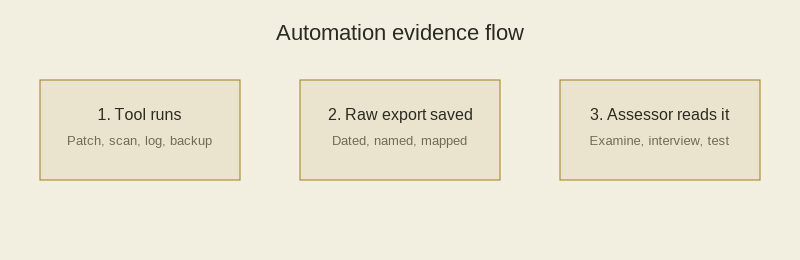
Your patch tool runs every night, but your assessor still asks for proof. The tool did the work, yet the proof is missing. That gap is common, and it is fixable.
Cybersecurity Maturity Model Certification (CMMC) Level 2 asks for proof that each practice works. Many practices run on tools: patch managers, scanners, log collectors, and backup software. The tool output is the evidence, if you keep it right.
The CMMC rule sits in Title 32 of the Code of Federal Regulations, Part 170. It points Level 2 practices to NIST Special Publication 800-171 Revision 2. NIST Special Publication 800-171A sets three ways an assessor checks a practice: examine, interview, and test. Tool output feeds all three.
What good automation evidence looks like
Good evidence answers four questions. Which tool ran? When did it run? What did it find? What changed after the run? A scan report with no date leaves the second question open. A log file with no tool name leaves the first question open.
Keep the raw export from the tool. Do not keep only a screenshot. A screenshot shows one screen at one moment. A raw export shows the full result, and the assessor can read it.
What to collect from each tool
Start with a short list for each tool. Record the tool name and version. Record the schedule it runs on. Save each run output with the date in the file name. Save the fix record that follows each finding. Name the person who owns the tool.
Patch tools give you a patch list and an install record. Save both. Vulnerability scanners give you a scan report and a list of open flaws. Save both. Log tools give you a log export and a review note. Save both. Backup tools give you a backup log and a restore test record. Save both.
How to tie exports to practices
Build a simple map. List each practice in one column. List the tool that supports it in the next column. List the file that proves it in the last column. One row per practice is enough.
A practice may need more than one tool. Patching uses a patch tool and a scanner. That is fine. List both tools in the same row. The map tells the assessor where to look, and it tells your team what to keep.
What assessors check
Assessors check that the tool ran on a real schedule, not once. They check that the dates line up with the practice. They check that findings led to fixes. A flaw found in March and fixed in April is a good story. A flaw found in March with no fix record is a gap.
Assessors also check that the evidence covers the full system. If the tool scans only half your machines, say so in the map. Then fix the coverage, or write a Plan of Action and Milestones (POA&M) entry for the gap.
What to do this week
Pick your three most used tools. For each one, find the last run output and save it with a dated name. Build the one page map for the practices those tools support. Give each tool an owner by name. Then set a calendar repeat so the next run output is saved the same way.
Sources
- 32 CFR Part 170, Cybersecurity Maturity Model Certification (CMMC) Program, Code of Federal Regulations.
- NIST SP 800-171 Revision 2, National Institute of Standards and Technology.
- NIST SP 800-171A, National Institute of Standards and Technology.
- Original diagram by PolicyCortex.
Next step
Want evidence pulled from your live systems instead of saved by hand? See how PolicyCortex collects it automatically.